Platform
Shopify Canvas: the end of Shopify themes as we know them?
Shopify Canvas lets you design and change your store by chatting with Sidekick, Shopify's AI. We explain what it does, what it can't do yet and when it makes sense for a Portuguese or Shopify Plus store.
- Author
- Skrey team
- Date
- 7 October 2026
- Reading time
- 8 min read
- Topic
- Platform
Until now, changing how a Shopify store looks had two routes: the theme editor, with sections and blocks, or Liquid code written by a developer. Shopify Canvas adds a third: describe what you want to Sidekick, Shopify's AI, and watch the store change in front of you.
Shopify introduced Canvas on 1 October 2026. It's still in early access and only some stores have it. Even so, it's worth understanding now, because it changes how we think about Shopify themes, and because its first limitations hit exactly the things almost every Portuguese store relies on: several languages, several markets and apps in the theme.
What Shopify Canvas is
Canvas is a new workspace for creating or editing the online store theme. You open it from the Themes page in the admin, and it only works on desktop.
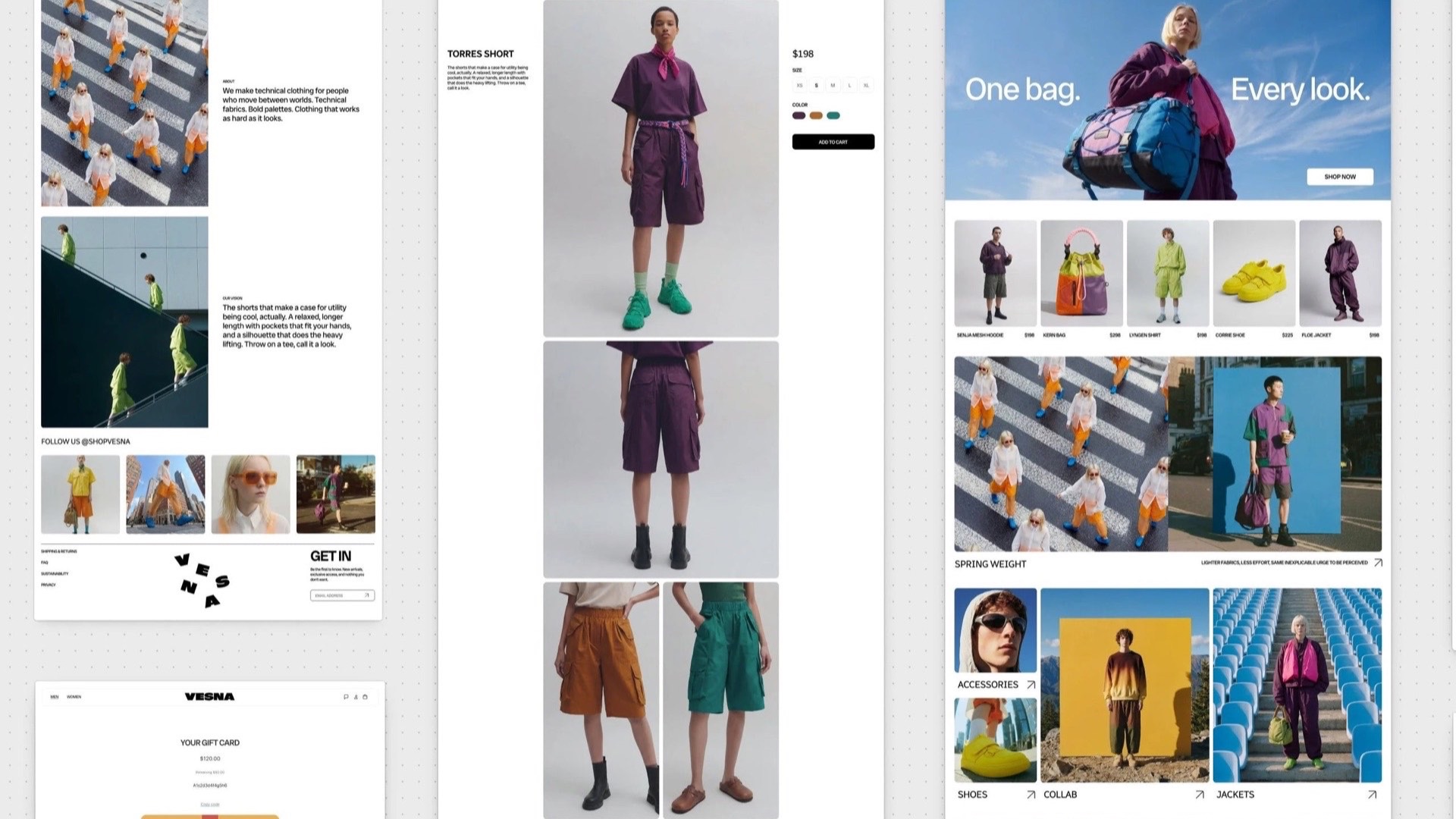
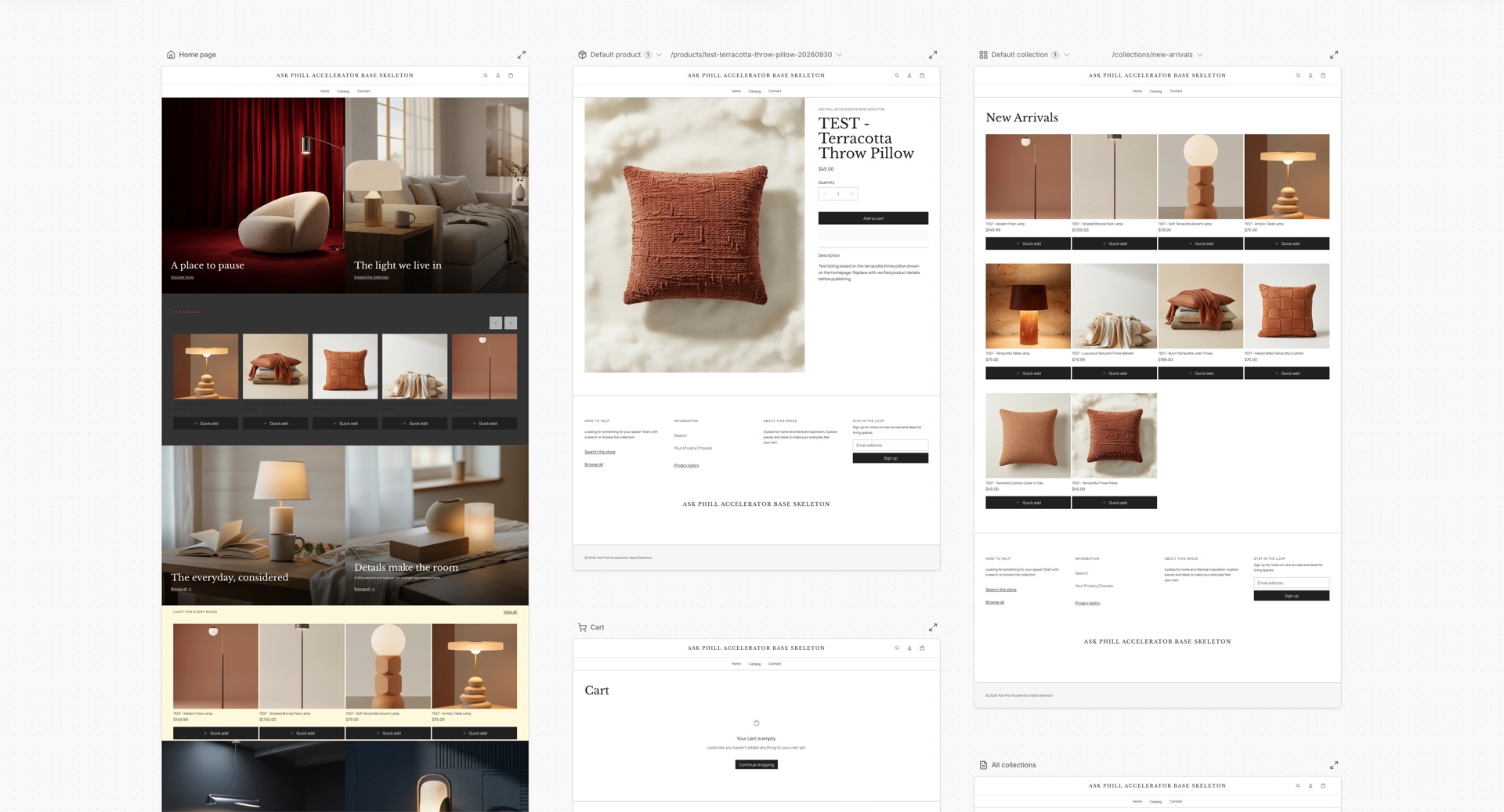
The most visible difference is on screen: instead of one page at a time, Canvas shows every template side by side. Home page, product, collection, cart, content pages. You can see the whole store at once or zoom into a detail. The preview is the working store, running the theme's real code, not a static image.
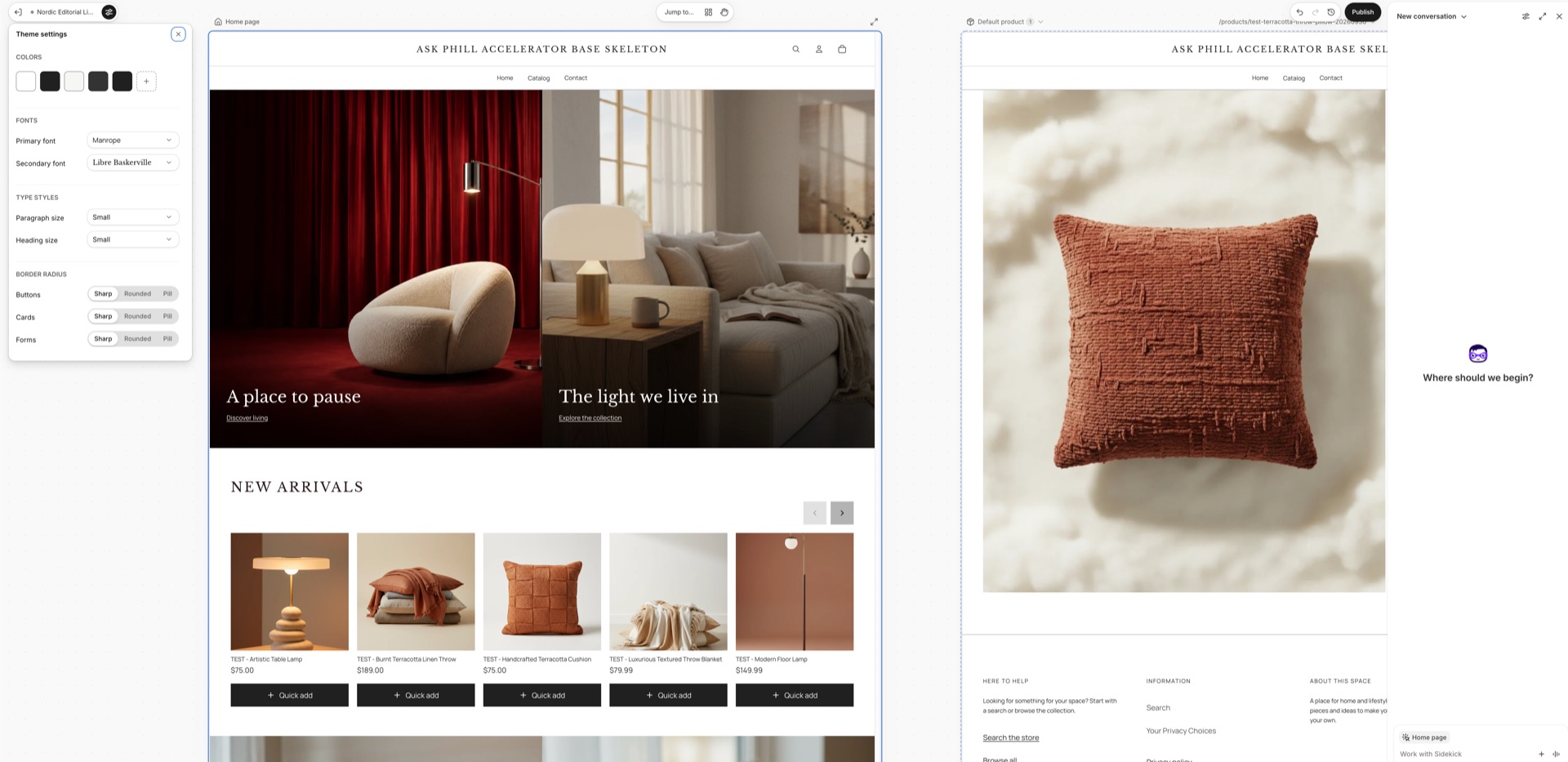
- Chat with Sidekick: describe the change ("put the reviews under the price", "create a Christmas campaign page") and Sidekick changes the theme, including changes that aren't available in block settings.
- Edit by hand: blocks, settings and text can still be edited directly, without the AI.
- Build a new theme: from a description of the brand, Sidekick generates a theme from scratch.
- Try it on a copy: changes can be made on a duplicate, without touching the live theme.
Canvas, Sidekick and Shopify Magic: what's the difference
The three names show up together and are easy to mix up:
- Shopify Magic is the name for the set of AI features spread across the admin, such as generating product descriptions, email copy or editing images.
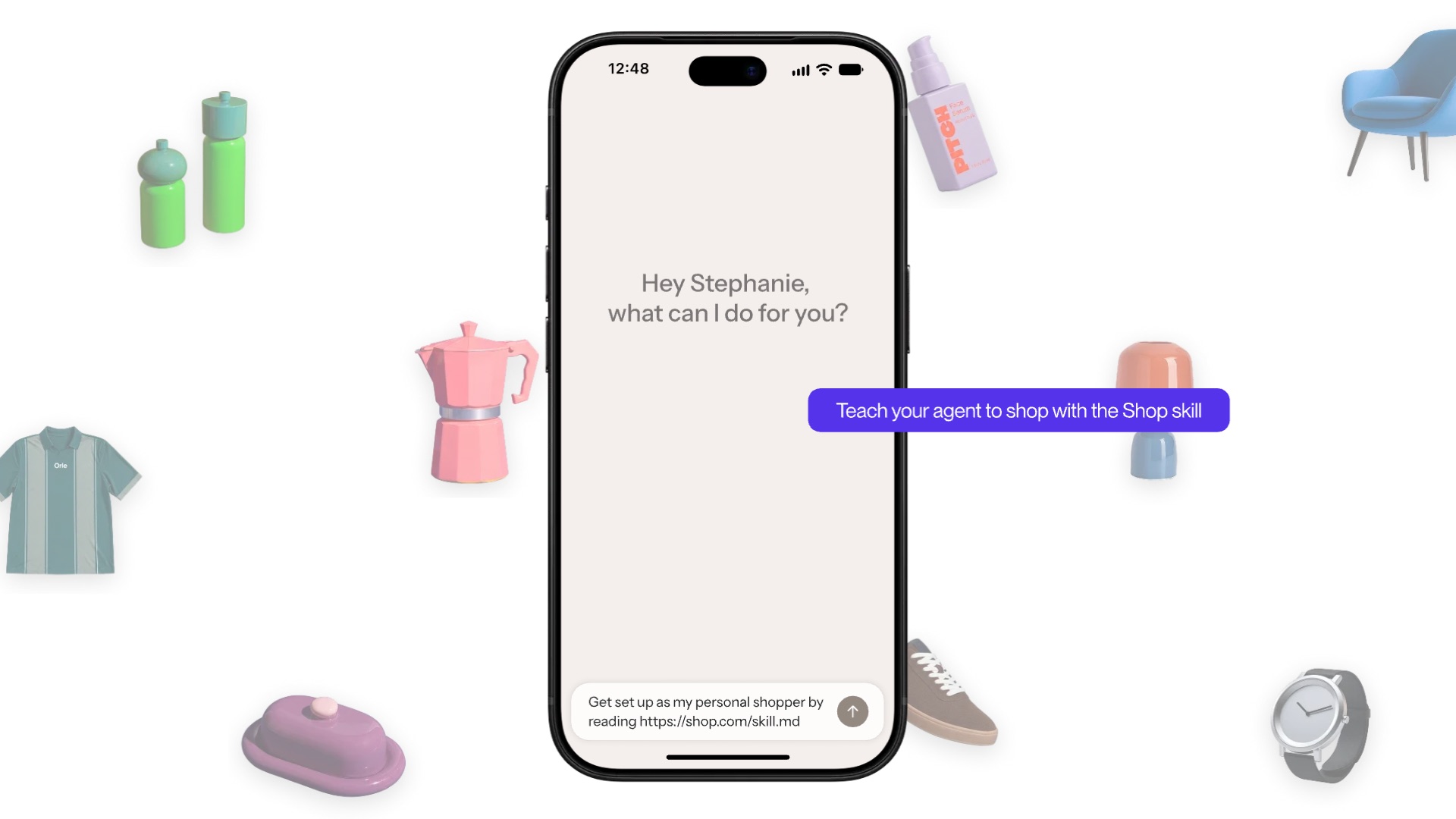
- Sidekick is Shopify's AI agent. It answers questions about the store, carries out tasks in the admin and, according to Shopify, works directly on the theme files.
- Canvas is where Sidekick now designs the store: the screen, the preview and the editing tools around the conversation.
In short: Sidekick does the work, Canvas is the desk it works at.
Does Canvas replace Shopify themes?
No. Canvas isn't an alternative to Shopify themes, it's another way to edit them. Underneath there is still a theme, with templates, sections and blocks. The theme editor is still there too, and Canvas is optional.
But there's an important catch, confirmed in Shopify's own rules: a theme created or edited in Canvas only opens in Canvas from then on, stops receiving theme updates and can't be downloaded. In practice, editing a theme in Canvas is a one‑way decision for that theme. So the sensible move is to always start from a duplicate.
What doesn't work yet
This is where the conversation changes for anyone running a serious store. According to Shopify's requirements page, at this stage:
- Apps in the theme: you can't add, configure or remove app blocks or app embeds in Canvas.
- Markets: you can't customise the theme per market.
- Translations: theme content isn't translated in Canvas; that still happens in the Translate & Adapt app.
- New blocks by hand: you can't manually add blocks to a template; you have to ask Sidekick.
- Rollouts: a Canvas‑edited theme can go into a rollout, but you can't edit it from there.
- Mobile: Canvas only works on desktop.
In the first reviews published by other agencies, there are also complaints about the lack of a layers view, no drag and drop and open questions about support for metafields and dynamic sources. Shopify says it will add features over time.
What this means for Portuguese and Shopify Plus stores
In the more than 40 Shopify Plus stores we look after in Portugal, three things are almost always present. They are exactly the ones Canvas doesn't cover yet.
Several languages and markets
A Portuguese brand often sells in Portuguese, Spanish and English, with different prices and content per market. If Sidekick creates a new section with Portuguese copy, someone has to translate it afterwards, and per‑market content isn't managed in Canvas. Before publishing, review the store in every language and market.
Apps in the theme
Reviews, loyalty programmes, Klaviyo forms, search filters: almost every store depends on app blocks and app embeds. Since Canvas doesn't touch them, a duplicate keeps the original's app settings, for better and for worse. A new page built by Sidekick may end up without the reviews every other page has.
Who can change the live theme
AI makes changes so easy that the risk becomes something else: too many hands on the same theme. On a Plus store, set a few simple rules:
- Always work on a duplicate and publish only after a review.
- Limit the permission to edit theme code to the people responsible for the store.
- Log what was asked of Sidekick and what changed, so you know later why the store looks the way it does.
- Test speed and accessibility after every AI change: heavy images, weak contrast or buttons without text don't throw errors, but they cost sales.
Where Canvas shines and where a custom theme still wins
Canvas is very good at quick, visual work:
- Landing pages and campaigns: Black Friday, Christmas, launches, pages that live for a few weeks.
- Redesign prototypes: seeing in hours how the store would look with another structure, before investing in the project.
- Small brands: anyone starting out can get a professional‑looking store without a developer.
- Tweaks the editor doesn't allow: small layout changes that used to need code.
A custom theme, built and maintained by an agency, still makes more sense for:
- Complex B2B: customer‑specific pricing, quick ordering, different catalogues per company.
- ERP integrations: stock, delivery times and product data coming from other systems.
- Metafield‑driven product pages: spec sheets, size charts, compatibility, content that changes from product to product.
- Multi‑market stores with many apps: exactly where Canvas has the most limitations today.
AI speeds up design. Structure, integrations and maintenance discipline are still people's work.
These aren't opposing paths. A realistic setup is the agency looking after the main theme while the marketing team uses Canvas on a copy to prepare campaigns and test ideas. As with checkout, Shopify is giving more power to people who don't code, and the line between what you do yourself and what needs a technical team keeps moving.
How to get started with Canvas
- Check whether your store has access: open the Themes page in the admin, on a computer.
- Check whether your theme is Shopify‑made or custom. If it's a third‑party theme, it won't work yet.
- Duplicate the live theme and work only on the copy. Remember that a theme edited in Canvas stops receiving updates.
- Start with a small, concrete task, such as a campaign landing page, rather than redesigning the whole store.
- Be specific with Sidekick: section, page, colours, copy and the result you expect.
- Review in every language and market, check the apps are still in place and test speed and accessibility.
- Publish only after someone responsible for the store approves, and log what changed.
FAQ
What is Shopify Canvas and how does it work?
It's a Shopify workspace for creating or editing the online store theme. It shows every template side by side and lets you change the store by chatting with Sidekick, Shopify's AI, or by editing blocks, settings and text by hand. You open it from the Themes page and it only works on desktop.
Does Canvas replace Shopify themes?
No. There's still a theme underneath, and the theme editor is still available. Canvas is optional, but a theme edited in Canvas only opens in Canvas from then on and stops receiving theme updates.
What's the difference between Canvas, Sidekick and Shopify Magic?
Shopify Magic is the set of AI features in the admin, such as generating copy. Sidekick is Shopify's AI agent that carries out tasks in the store. Canvas is the workspace where Sidekick designs and changes the theme.
What are the requirements and does it work with any theme?
It's in early access and only some stores have it. It needs a plan with theme customisation, a desktop computer and the permission to edit theme code. It works with Shopify‑made and custom themes; third‑party themes aren't supported yet.
Does Canvas work with apps, translations and markets?
Not yet. At this stage you can't manage app blocks or app embeds, customise the theme per market or translate theme content in Canvas. Translations still happen in the Translate & Adapt app.
Does a custom theme still make sense on Shopify Plus?
Yes, especially for B2B stores, ERP integrations, metafield‑driven product pages or several markets with many apps. Canvas is useful alongside a custom theme, for campaigns, landing pages and prototypes on a copy.
We build and maintain themes for Shopify Plus stores and help teams use Shopify's new AI tools without losing control of their store. If you want to know whether Canvas makes sense for your brand, get in touch.