Platform
How to customise Shopify checkout (Checkout Extensibility)
What changed in Shopify checkout, what each plan can customise and how to migrate customisations, tracking and the thank you page without losing sales or data.
- Author
- Skrey team
- Date
- 5 November 2026
- Reading time
- 8 min read
- Topic
- Platform
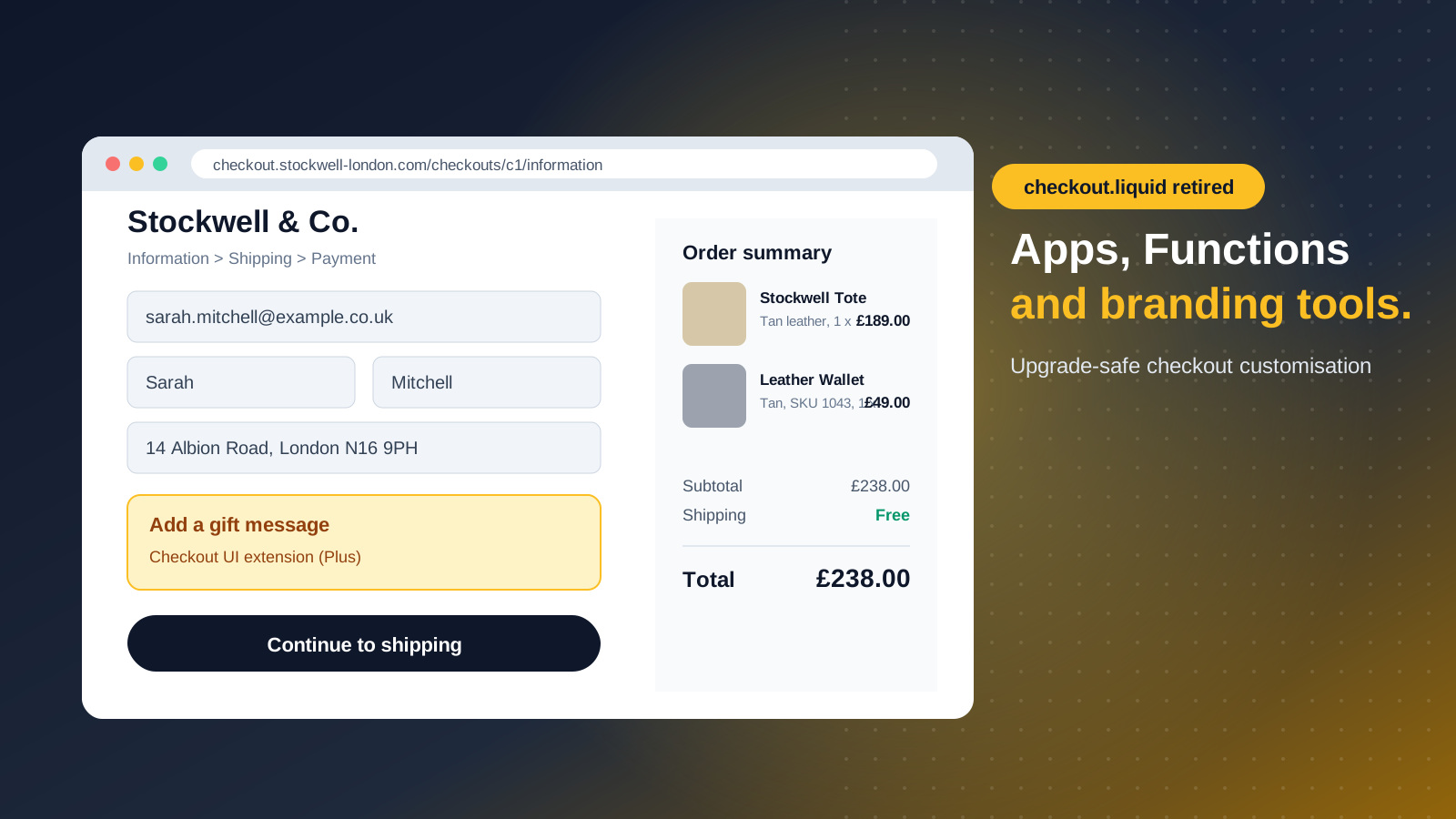
For years, Shopify Plus stores customised checkout by editing one file, checkout.liquid. That route is gone. Today checkout can only be customised with Checkout Extensibility: apps, extensions, Shopify Functions, the branding editor and pixels.
This guide is for the people who decide, not only the people who code: what changed, what each plan allows, where the problems usually are and how to migrate safely. It also answers two questions almost every Portuguese store asks us: how to collect the VAT number (NIF) and how to offer MB WAY and Multibanco at checkout.
What is Checkout Extensibility
It's the set of tools Shopify now uses to let stores customise checkout without touching the page code. It has five parts:
- Checkout UI extensions: visible blocks in checkout, such as offers, extra fields or trust messages.
- Shopify Functions: server‑side logic for discounts, delivery methods, payment methods and validation.
- Checkout editor and Branding API: colours, type, logo and layout.
- Web pixels: checkout event tracking for analytics and ad platforms.
- Post‑purchase and thank you page extensions: upsells, surveys, review requests.
Everything runs in an environment Shopify controls. In practice that means a faster, safer checkout, automatic updates and customisations that also show up in Shop Pay.
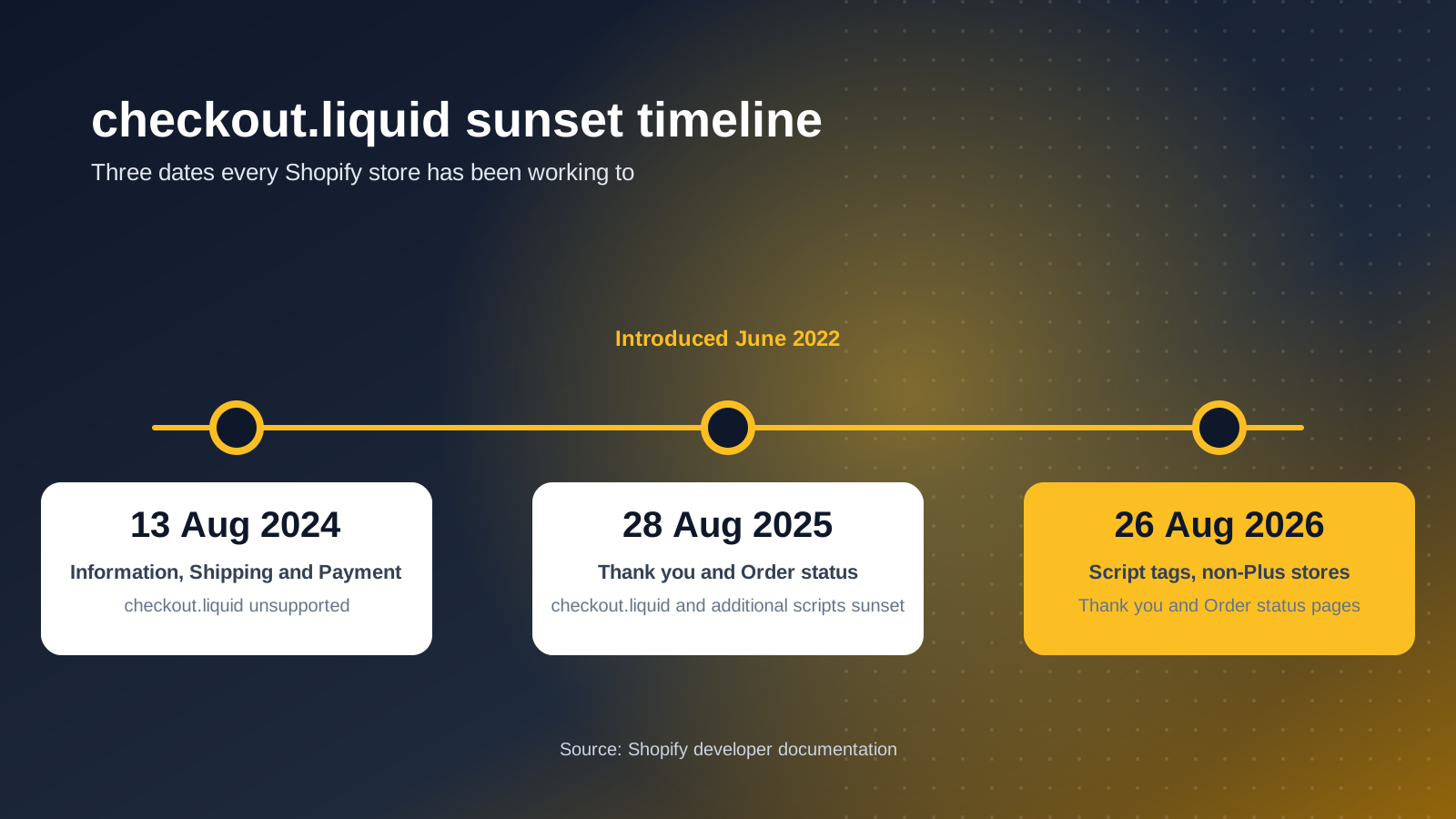
The end of checkout.liquid, by date
- 13 August 2024: checkout.liquid stopped working on the information, shipping and payment steps.
- 28 August 2025: checkout.liquid and additional scripts ended on the thank you and order status pages, and script tags on those pages ended for Plus stores.
- 26 August 2026: script tags on the thank you and order status pages ended for all other stores.
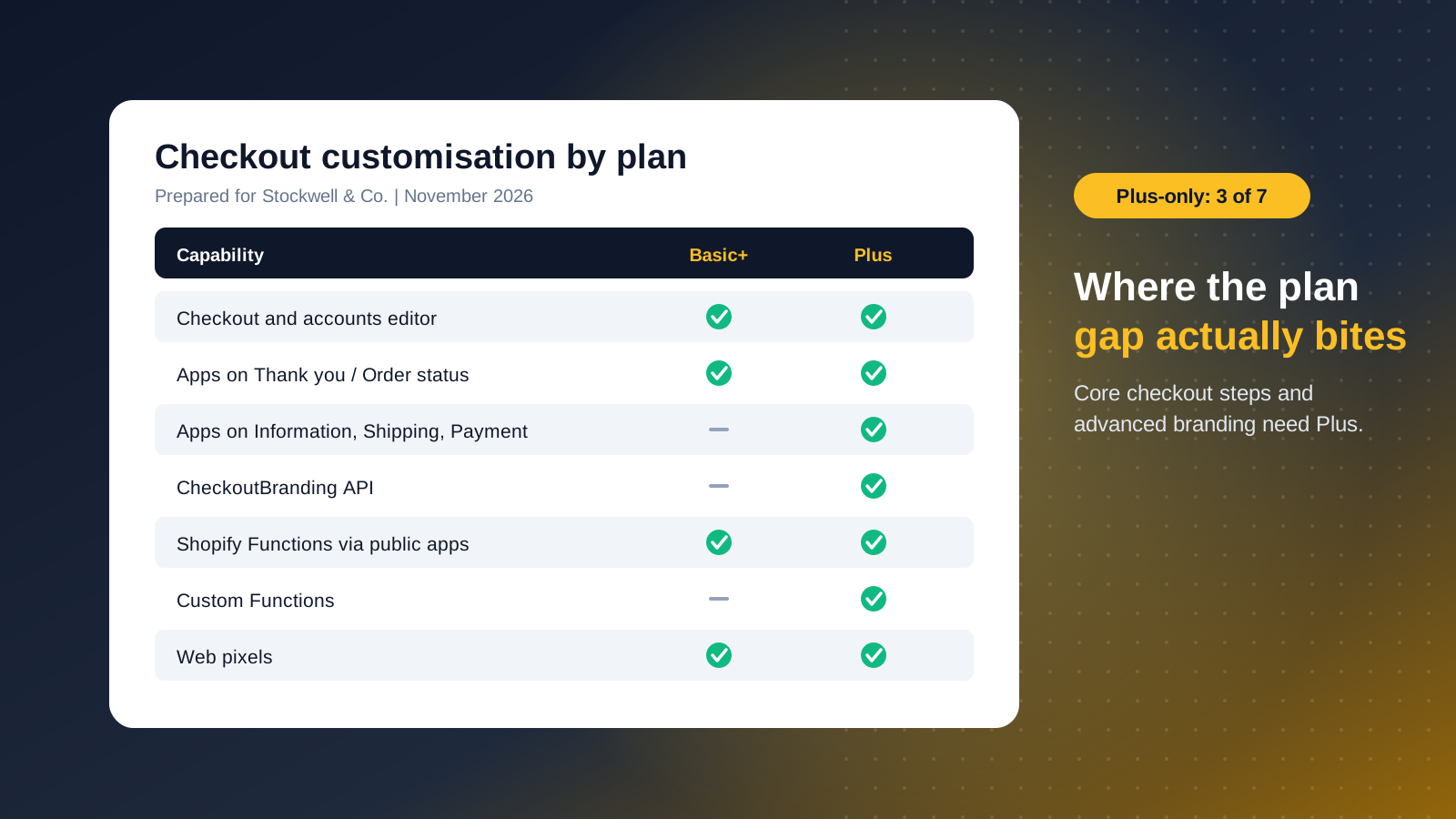
What each plan can customise
- Checkout editor (all plans): logo, colours, type, background, layout and simple blocks such as banners.
- Apps on thank you, order status and customer account pages (all plans): post‑purchase upsells, loyalty, surveys.
- Apps on the information, shipping and payment steps (Plus only): gift messages, free gifts, custom fields, in‑checkout banners.
- Branding API (Plus only): favicon, corners, header, buttons and order summary colours.
- Shopify Functions (all plans through apps; custom Functions on Plus): discounts, delivery, payments, validation.
- Web pixels (all plans): checkout events for analytics and ads.
The big difference is in the middle of checkout: only Shopify Plus can place apps and blocks on the information, shipping and payment steps. For many brands, that's the reason to upgrade.
Checkout UI extensions: adding to checkout
They're small interface blocks that appear at set points in checkout. Some examples we build often for Portuguese stores:
- A VAT number (NIF) field for the invoice, validated before payment.
- A gift wrap or gift message, with a preview.
- Complementary products next to the order summary.
- Loyalty points balance.
- Trust messages near the pay button: returns, delivery times, customer support.
There are two routes: install a public app from the Shopify App Store or build a custom app. Extensions inherit the store's branding, use Shopify components and only access the data the store allows. What you can't do is change the page with JavaScript, as people did with checkout.liquid: those solutions need rethinking, not copying.
NIF, MB WAY and Multibanco in Shopify checkout
Collecting the NIF at checkout
In Portugal, many customers want an invoice with their VAT number (NIF), and invoices must come from software certified by the tax authority. The NIF can be collected in several ways:
- On Shopify Plus, with a checkout UI extension: its own field on the information step, validated before payment.
- On any plan, in the cart or the customer account, saved on the order.
- In B2B, from the company profile, so the customer doesn't type it on every order.
Whatever the route, what matters is that the NIF reaches the invoicing software or ERP with the order, with no copying by hand.
MB WAY and Multibanco
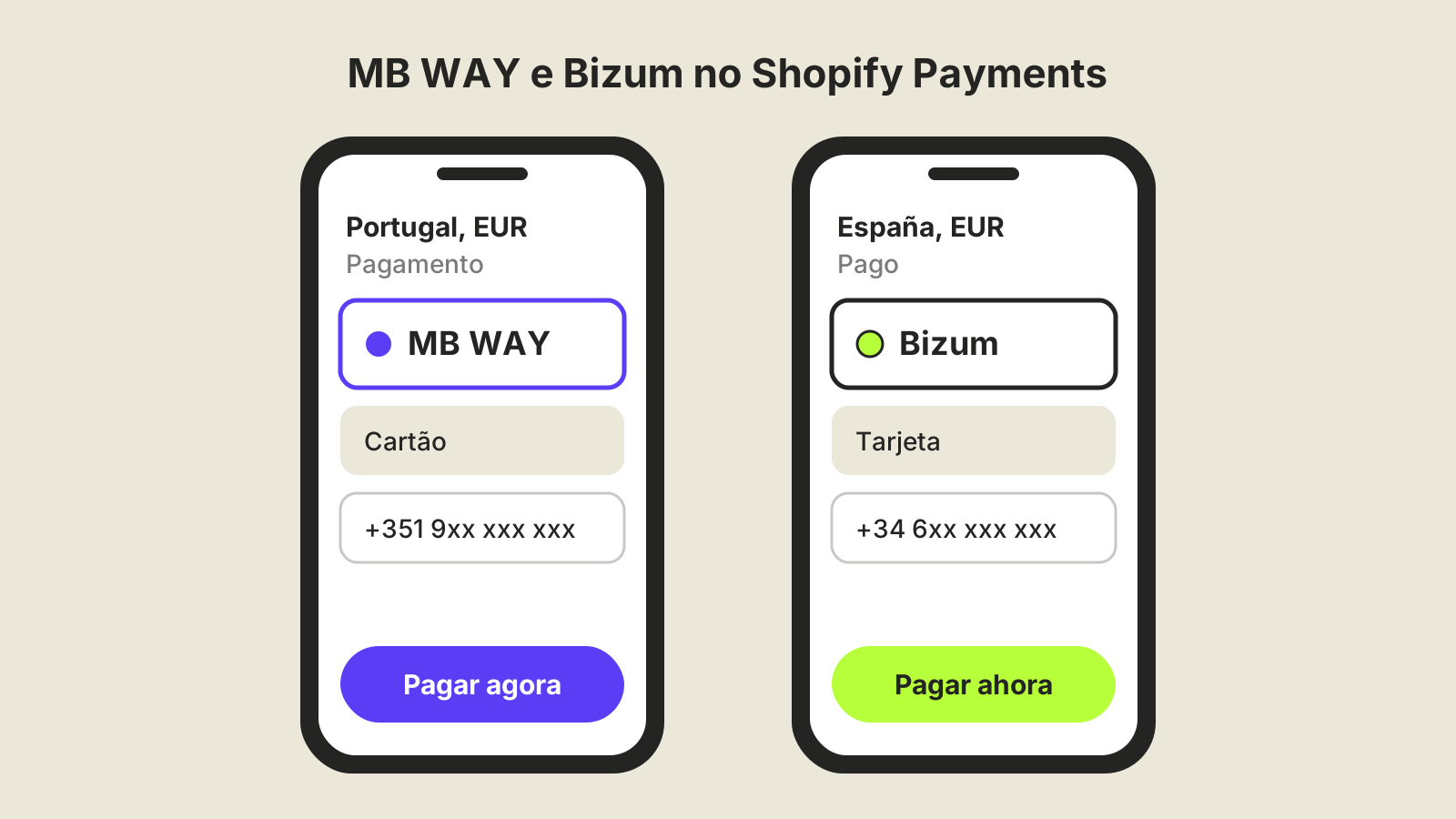
They're the methods Portuguese shoppers most expect after cards. With Shopify Payments in Portugal, Multibanco is enabled automatically and MB WAY is now a native method you switch on in the payment settings. Stores that don't use Shopify Payments can still offer them through Portuguese providers with Shopify apps. We cover it in Bizum and MB WAY on Shopify. With Shopify Functions you can choose when they show, for example hiding Multibanco references on same‑day delivery orders.
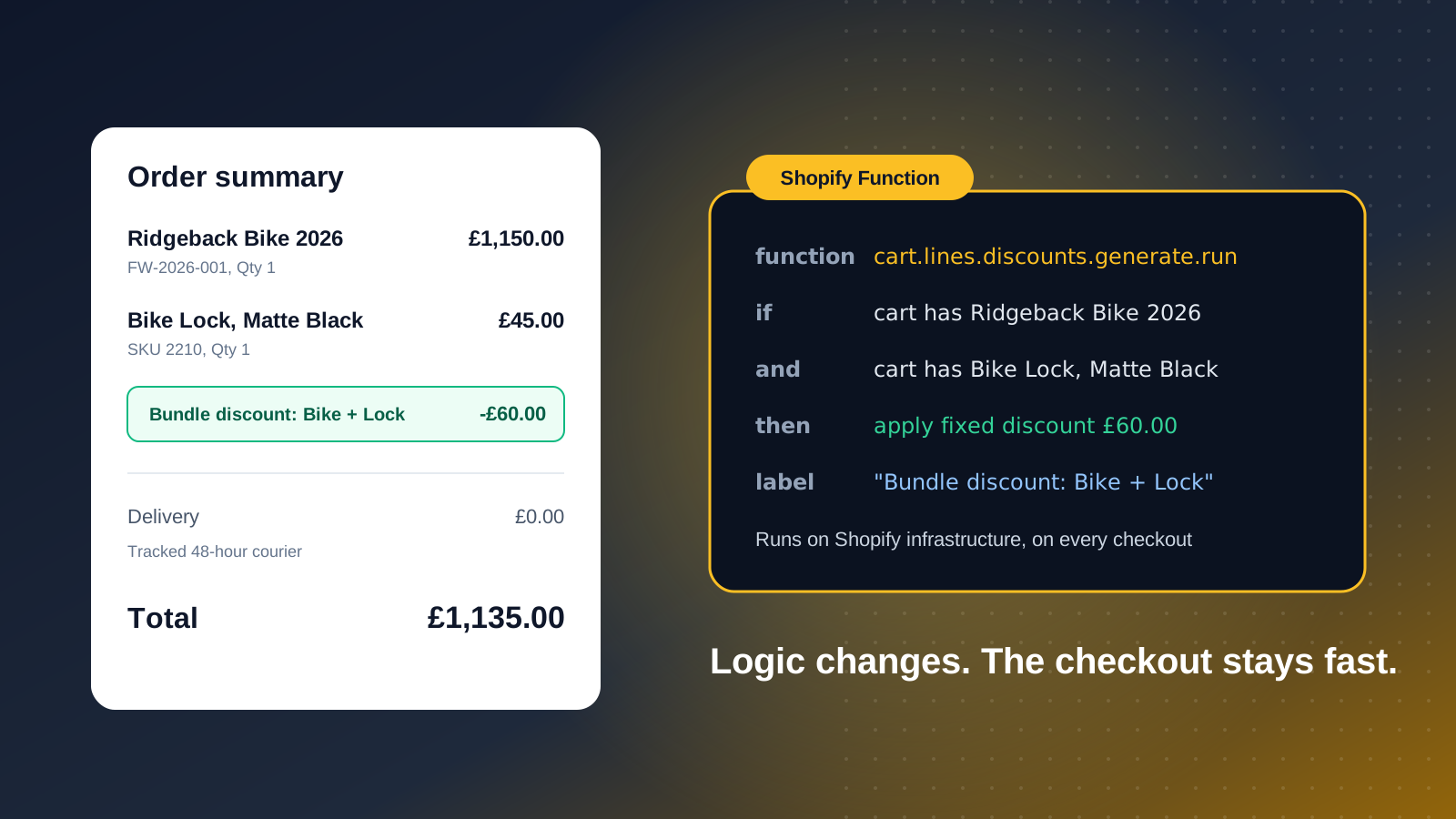
Shopify Functions: changing checkout logic
Functions run on Shopify's infrastructure and change how checkout behaves, not how it looks:
- Hide a payment method for certain regions or amounts, such as cash on delivery above a set value.
- Rename or reorder delivery methods.
- Block the purchase when a rule isn't met, such as minimum quantities in B2B.
- Tiered, bundle or product‑combination discounts.
They replace Shopify Scripts, the Ruby code Plus stores used for discounts, shipping and payments. Scripts logic can't be copied across; it has to be rewritten as Functions. Many needs are already covered by apps; custom development is only needed for unique rules.
Checkout branding: editor first, API when needed
Start with the checkout editor: no code, and changes carry over to Shop Pay. The Branding API, on Plus, gives finer control, but most brands get everything done in the editor.
Decide early between a one‑page and a three‑step checkout. The layout changes where extensions can appear, so settle it before designing the blocks.
Thank you and order status pages
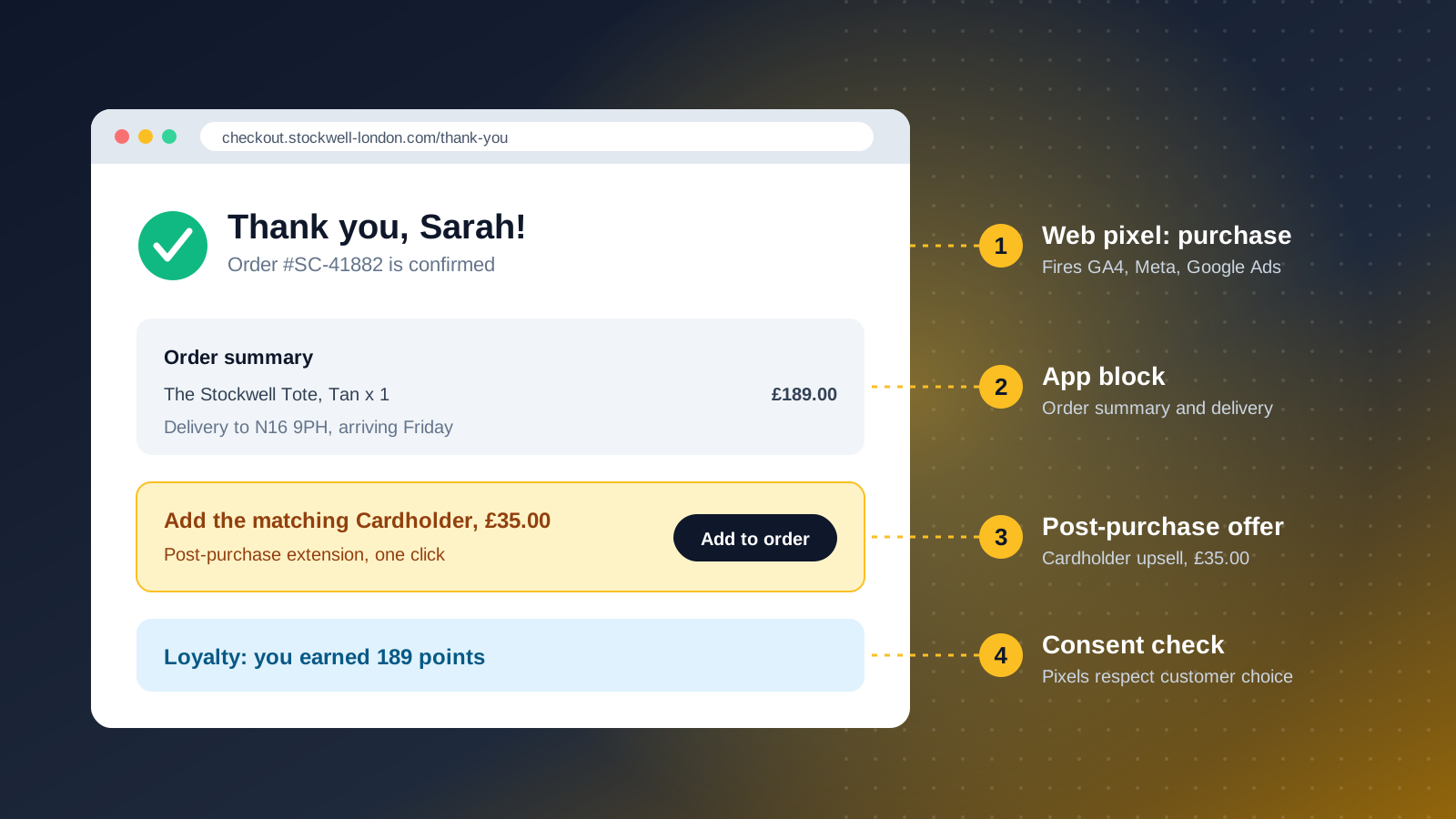
This is where most legacy customisations lived and where the last deadlines fell. Everything in additional scripts or script tags has to move to:
- App blocks, for content: delivery information, review requests, referral invites.
- Post‑purchase extensions, for one‑click upsells.
- Web pixels, for conversion tracking.
Customer account pages now use the same system, so a loyalty or returns experience can carry on from checkout into the account area.
Pixels and tracking after checkout.liquid
This is the part of the migration that most often fails without anyone noticing. Tracking now runs through customer events and web pixels, in an isolated environment that respects cookie consent. That has consequences:
- Tags that read data from the page, such as the order value, stop working.
- Consent decides whether pixels fire. A badly configured cookie banner can hide conversions, a real risk under GDPR.
- Google Tag Manager has to come in as a custom pixel, or be replaced by the native Google, Meta and TikTok apps.
How to migrate, step by step
- Inventory everything in checkout.liquid, additional scripts, script tags and Shopify Scripts. Shopify's upgrade guide doesn't catch what comes in through Tag Manager.
- Sort each item: still needed? Available natively? Is there an app? Does it need a custom extension or Function? Many things are no longer needed.
- Build in a draft checkout profile and preview before publishing.
- Rebuild tracking with pixels and test every purchase event.
- Move the thank you page to app blocks and post‑purchase extensions.
- Test end to end with real orders: discount codes, gift cards, Shop Pay and every payment method, on mobile above all.
- Publish and monitor conversion, successful payments and tracked conversions for two weeks.
Mistakes to avoid
- Rebuilding everything one to one, instead of using the chance to drop what no longer helps.
- Leaving tracking to the end.
- Installing several apps that add blocks to checkout and slow it down.
- Forgetting customer accounts, now part of the same system.
- Changing many things at once: if conversion drops, you won't know why. When traffic allows, test the changes.
FAQ
What is Shopify Checkout Extensibility?
It's how Shopify checkout is customised now: apps, extensions, Shopify Functions, the branding editor and web pixels, instead of editing checkout code. It replaced checkout.liquid.
Do I need Shopify Plus?
Not for everything. All plans can brand checkout in the editor and use apps on the thank you, order status and customer account pages. Apps on the information, shipping and payment steps and the Branding API are Plus only.
What happened to checkout.liquid?
It stopped working on the checkout steps on 13 August 2024 and on the thank you and order status pages on 28 August 2025. Script tags on those pages ended for Plus stores on the same date and for all others on 26 August 2026.
Do old customisations carry over automatically?
No. Each one has to be reviewed and rebuilt as an app, extension, Function or pixel.
Can I still use Google Tag Manager at checkout?
Yes, as a custom pixel rather than pasted into the page. Or use the ad platforms' native apps. Either way, test the purchase events.
Do I need a developer?
Not always. The editor and public apps cover branding, banners, upsells and many discounts. Custom extensions, specific Functions and complex tracking need development.
How do I collect the NIF in Shopify checkout?
On Shopify Plus, with a dedicated field built as a checkout UI extension. On other plans, in the cart or customer account. Either way, the NIF should travel with the order to the invoicing software.
How do I offer MB WAY and Multibanco on Shopify?
With Shopify Payments, both are native for customers in Portugal: Multibanco is enabled automatically and MB WAY is switched on under Settings > Payments. Without Shopify Payments, through Portuguese providers with Shopify apps.
Does it work with Shop Pay?
Yes. Branding and extensions also show up in Shop Pay.
We migrate and build checkouts on Shopify Plus stores, from custom extensions to Functions and tracking. If you want your checkout reviewed, get in touch.